











Helabet login gives registered users access to their betting account, including account settings, available markets, and balance information. This page explains how to sign in, create an account, use the mobile version, reset a forgotten password, and deal with common access problems in Tanzania.
Use only your own device and a private internet connection when entering account details. Public Wi-Fi and shared browsers can expose saved passwords or leave an active session open for someone else. Check that you are on the official site before entering personal information.
How to Log In to Your Helabet Account
Open the website and select the login button to display the sign-in form. Enter the phone number or email address connected to your account, followed by your password. Review both fields before submitting, especially if your phone has filled them automatically.

If the credentials are accepted, you can continue to your account dashboard. An error message usually means that one of the details does not match the registration record. Do not keep guessing passwords repeatedly; use the recovery option if you are unsure. Where an additional verification code is requested, enter it only on the sign-in screen and never share it with another person.
Protect your account with a unique password rather than one used for email or social media. Sign out after using a shared phone or computer, and change the password promptly if you notice unfamiliar activity.
Registration Guide
New users need to register before they can access an account. Select the sign-up option and complete the required fields accurately. The form may request your full name, date of birth, phone number, and email address. Use contact details that you can access, as they may be needed for account confirmation or recovery.
After you submit the form, follow the on-screen instructions to confirm your phone number, which may include entering a code sent by SMS. Create a password that is difficult to guess and keep it private. Avoid names, birth dates, or simple number sequences.
You must be 18+ to register. Identity or account verification may be requested when required for account administration or local rules. If a field is rejected, check its format and make sure the information matches your own documents before trying again.
Login Using the Mobile Application
The mobile application can be useful when you prefer to manage your account from a phone. Use the same registered contact detail and password as on the website. Before installing anything, consult the official app page for the current installation instructions and device requirements.
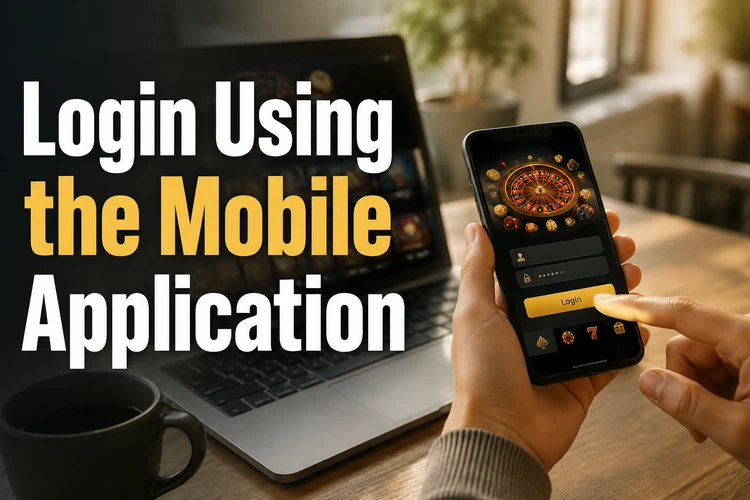
After installation, open the app and use the normal login form. Keep your device software updated and install updates only from the official source. If the app does not load correctly, first check your internet connection, then close and reopen it. Clearing temporary app data may help, but do not remove saved information unless you know your login details.
Password Recovery
If you forget your password, select the link labelled "Forgot password?" on the login page. Enter the phone number or email address linked to the account and follow the recovery instructions sent to your registered contact method.
Create a new password that you have not used elsewhere. A password manager can help you store it securely. If no reset message arrives, check that the contact detail was entered correctly and look in your email spam folder before contacting support.
Partners Login
Partner or affiliate access is separate from a standard customer account. Partners receive their access details and instructions through the relevant partnership contact. Regular users should continue to use the normal account login form.
If you need to ask about a partner account or another access issue, use the contact page to reach the appropriate team. Do not send passwords, verification codes, or identity documents through unsecured messages.
Troubleshooting Login Issues
First, confirm that you are using the same phone number or email address supplied during registration. A frequent problem is entering a secondary email address or a number with a different format. If you have recently changed your password, make sure an old saved password is not being filled in automatically.
Multiple unsuccessful attempts may trigger a temporary security restriction. Stop trying and use password recovery or contact support rather than repeatedly submitting details. Recently registered users should also complete any required phone confirmation before attempting to use all account functions.
Browser cookies or an outdated app can occasionally interfere with sign-in. Try a current browser, clear cached data, or use a private browsing window. On a mobile device, check for an available app update. Describe the error message and the device you use when contacting support, but never include your password.
FAQ
Select the sign-up option on the homepage and complete the registration form with accurate personal and contact details. Follow the confirmation instructions, then create a strong password. You must be 18+ to register.
Use the phone number or email address associated with your registration, together with your password. If one option is not accepted, check which contact detail you used when creating the account.
Select "Forgot password?" on the login page, enter your registered phone number or email address, and follow the recovery instructions sent to you. Choose a new, unique password when prompted.
Check the official app page for current installation guidance. Once installed, open the app and sign in with the same details used on the website. Keep the app and your phone software updated.
A temporary restriction can follow several unsuccessful sign-in attempts as a security precaution. Stop entering passwords repeatedly, use the recovery process if needed, or contact support for help.
Use a unique password, keep verification codes private, and sign out on shared devices. If you notice activity you do not recognise, change your password and contact support without sharing sensitive credentials.